
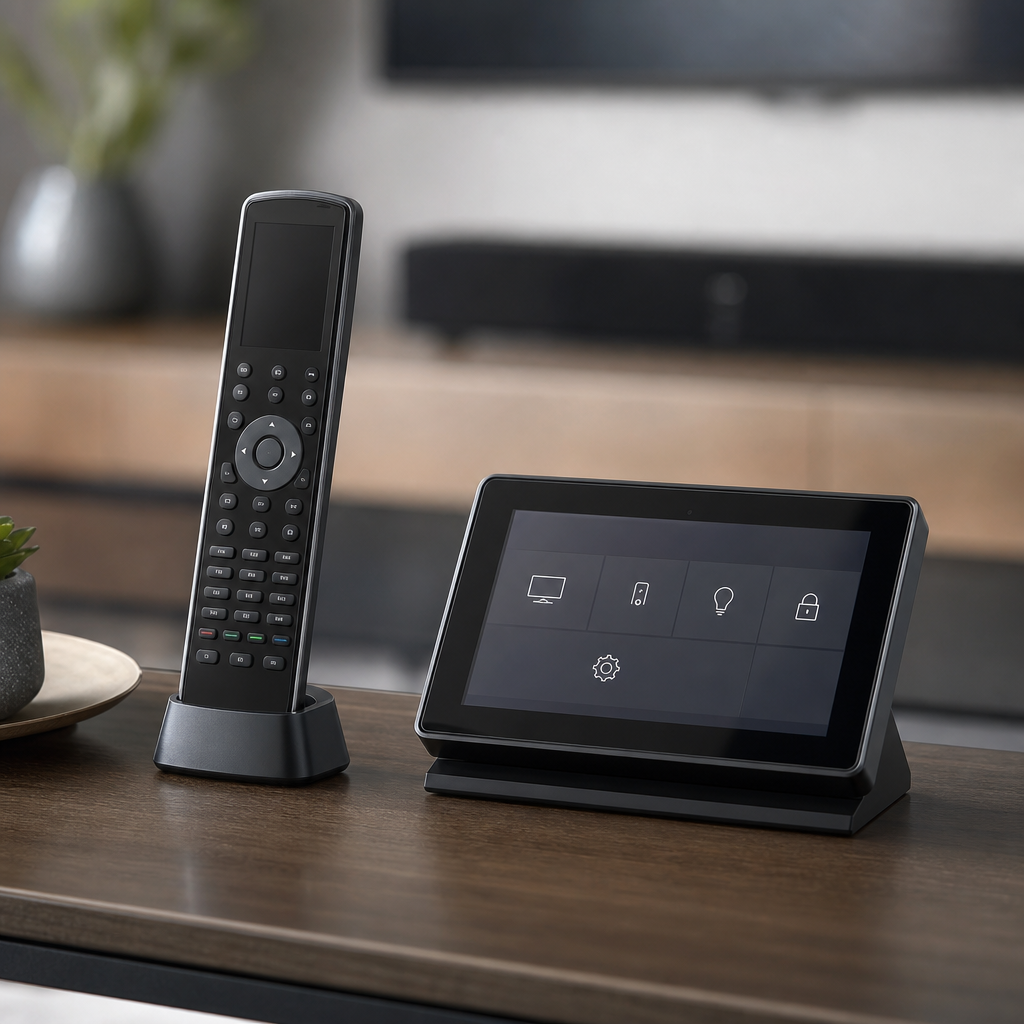
A home theater with a TV remote, a receiver remote, a streaming box remote, and a cable remote sitting on the coffee table isn't really finished — it's a collection of separate devices that happen to be in the same room. A proper control system replaces all of that with one interface that operates everything together.
What a Universal Control System Actually Does
At the basic end, a universal remote simply learns the codes for every device and lets one remote replace several. At the more capable end, a control system (app-based, dedicated remote, or in-wall touch panel) executes multi-step "activities" with a single button press — pressing "Watch a Movie" can simultaneously power on the TV and receiver, switch inputs to the right source, dim the lights, and lower a motorized screen, all as one action instead of five separate remote button presses in the right sequence.
Remote, App, or Touch Panel?
- Dedicated remotes remain the most reliable option for daily use — no app to open, no Wi-Fi dependency, and a physical button is faster than navigating a phone screen for basic commands like volume or pause.
- App-based control adds flexibility (control from anywhere in the house, easy to update) but depends on a phone being charged, unlocked, and on the right app — a real friction point for guests or less tech-comfortable household members.
- In-wall touch panels work well as a fixed control point for a room (by the theater room door, for instance) but add cost and are typically reserved for whole-home systems rather than a single-room theater.
Most well-designed systems combine at least two of these — a physical remote for day-to-day simplicity, with app control available as a backup or for remote access.
Why "Learning" Remotes Alone Fall Short
Basic learning remotes (which copy IR codes from existing remotes) work for simple setups but struggle with modern streaming devices and smart TVs that increasingly rely on HDMI-CEC or IP control rather than traditional infrared, and they have no concept of "activities" — you still have to press several buttons in the right order, just from one remote instead of four. A proper control system processes device state and can determine what's already on or off, rather than blindly sending the same signal regardless of current status — which is why a well-configured system rarely gets "out of sync" with what's actually happening on screen, a common complaint with basic universal remotes.
Integration With the Rest of the Home
Where control systems really pay off is when they extend past the theater room itself — the same "Watch a Movie" activity that switches AV inputs can also be the trigger that dims lighting and lowers shades if the home has lighting control or motorized shades installed, turning several separate systems into one coordinated experience from a single button press. Even for a single-room theater with no other smart home components today, choosing a control platform with that integration capability keeps the option open without requiring a system replacement later.
What to Ask For
When getting a home theater quoted, it's worth explicitly asking how many remotes will be left on the coffee table when the job is done. The honest answer for a properly designed system should be one — or zero, if control happens entirely through an app or in-wall panel. Anything more suggests the system was installed as separate components rather than integrated as a single, coherent experience.